Add notes while taking calls
Add notes while taking calls
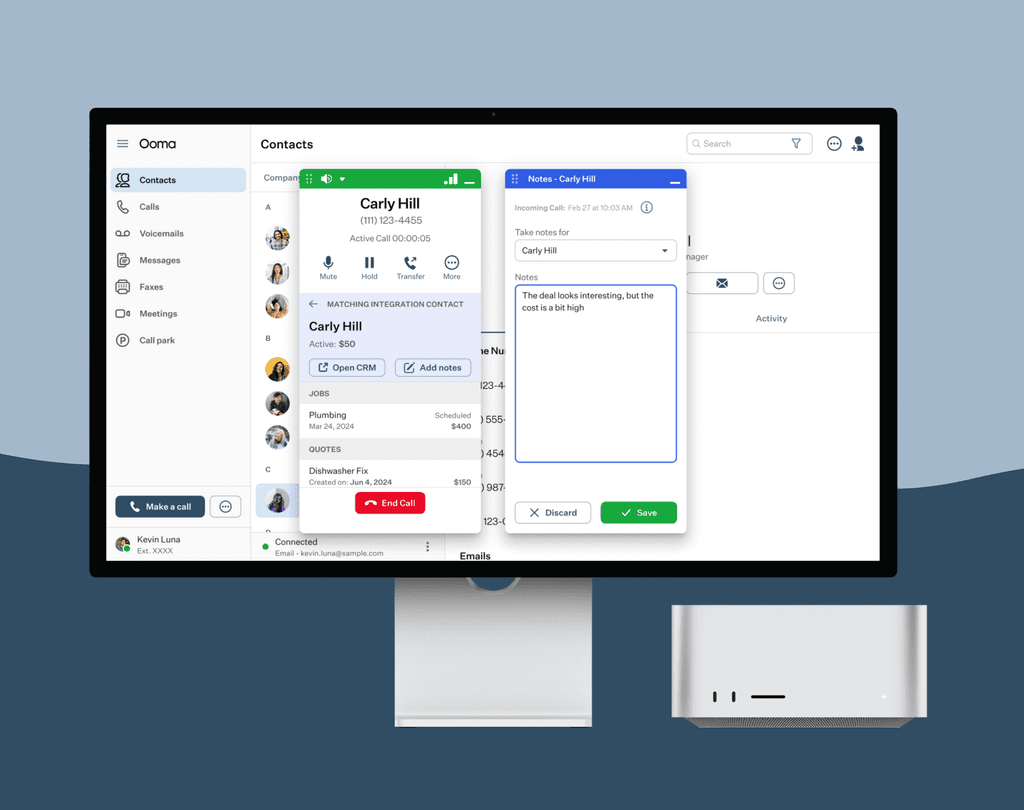
Connect with our different CRM Integrations and take notes of conversations with your client.
Connect with our different CRM Integrations and take notes of conversations with your client.
Connect with our different CRM Integrations and take notes of conversations with your client.
Role
Role
Product Designer at Ooma
Product Designer at Ooma
Duration
Duration
4 Weeks
4 Weeks
Tools
Figma
Jira
Design process
Research
Iteration
Mockups
Prototypes
Tools
Tools
Figma
Jira
Figma
Jira
Design process
Design process
Research
Iteration
Mockups
Dev handoff
Research
Iteration
Mockups
Dev handoff
Problem
Problem
Problem
Our users struggle to take notes using the current dialer design for Ooma. The main issues they're looking at are:
The user has a small space to add and view notes
There isn't space to add more information regarding the CRM and related items
You have to finish a call before you take notes of a new call
Our users struggle to take notes using the current dialer design for Ooma. The main issues they're looking at are:
The user has a small space to add and view notes
There isn't space to add more information regarding the CRM and related items
You have to finish a call before you take notes of a new call
Discovery
Discovery
Discovery
Our Ooma Office Dialer allows users to use third-party software and integrate it into the Dialer itself. If our users have accounts with different CRM companies such as Hubspot, Square, Clio, among others, they can connect their accounts with Ooma and use our Dialer as a way to get to their clients.
For the current implementation between our Dialer and a CRM Integration, the user has to do the following:
Open Ooma Office Dialer
Receive or make a call to a client
Associate certain features that the client has
Add notes inside the dialer
Finish the call to move and save notes to move to a different client
Our Ooma Office Dialer allows users to use third-party software and integrate it into the Dialer itself. If our users have accounts with different CRM companies such as Hubspot, Square, Clio, among others, they can connect their accounts with Ooma and use our Dialer as a way to get to their clients.
For the current implementation between our Dialer and a CRM Integration, the user has to do the following:
Open Ooma Office Dialer
Receive or make a call to a client
Associate certain features that the client has
Add notes inside the dialer
Finish the call to move and save notes to move to a different client
Exploration
Exploration
Exploration
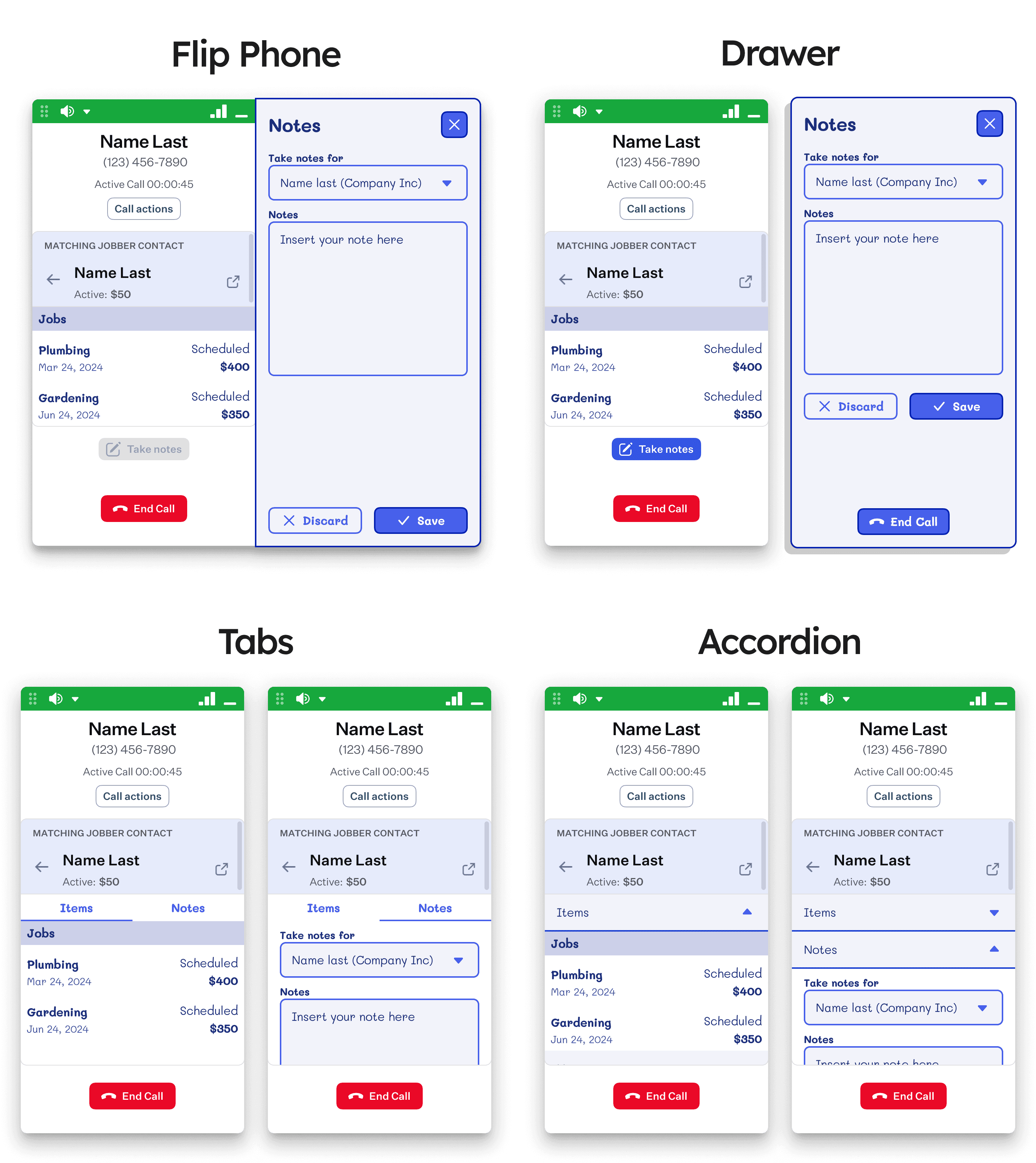
Multiple ideas surfaced when thinking about how to design a way for users to take notes and view their items while still being able to access the information in the Dialer regarding their integration services.
Some of the ideas that were proposed were the following:
Flip phone
Drawer
Tabs
Accordion
All of these ideas eventually had the issue that the user has to take notes from one user at a time (since that issue surfaced later during the redesign) so despite their different advantages, they had to be discarded.
Multiple ideas surfaced when thinking about how to design a way for users to take notes and view their items while still being able to access the information in the Dialer regarding their integration services.
Some of the ideas that were proposed were the following:
Flip phone
Drawer
Tabs
Accordion
All of these ideas eventually had the issue that the user has to take notes from one user at a time (since that issue surfaced later during the redesign) so despite their different advantages, they had to be discarded.
A floating notepad
A floating notepad
A floating notepad
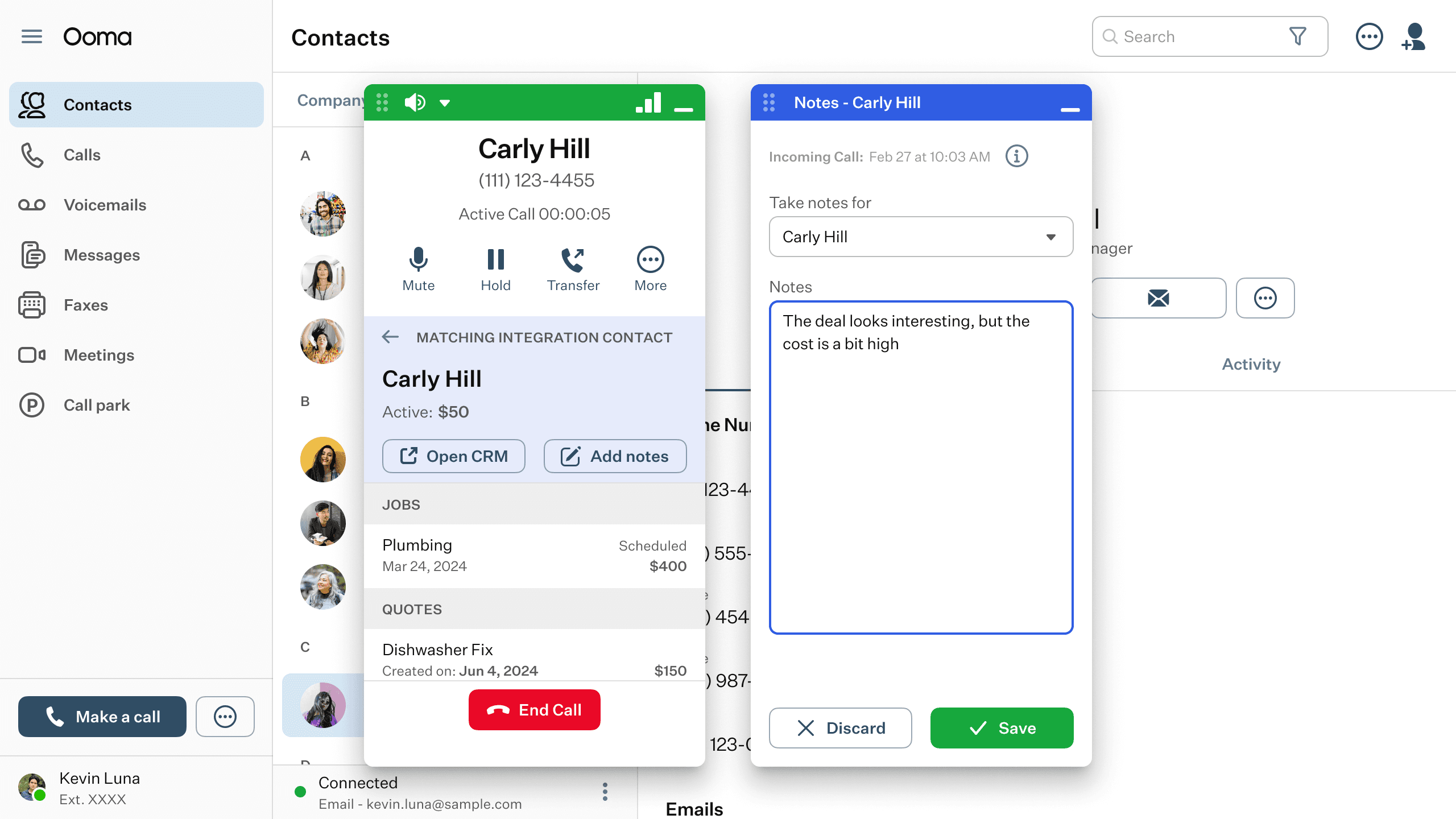
Later on, we figured out that the only way to display the amount of information that the user needs to view as well as still having the ability to select information and take notes of multiple users was to have separate windows.
This approach would invoke a floating window that would pop once you needed to take notes. This window would be able to be minimized as well in case you’re taking notes for more than one contact.
Later on, we figured out that the only way to display the amount of information that the user needs to view as well as still having the ability to select information and take notes of multiple users was to have separate windows.
This approach would invoke a floating window that would pop once you needed to take notes. This window would be able to be minimized as well in case you’re taking notes for more than one contact.
This was a challenge at first due to time constraints and having back and forth between design and development to create a solution that would be feasible to implement and useful for the users. In the end, this solution accomplished these elements and had similar behavior elements that the Dialer also had so it became easier to start developing it as well.
This was a challenge at first due to time constraints and having back and forth between design and development to create a solution that would be feasible to implement and useful for the users. In the end, this solution accomplished these elements and had similar behavior elements that the Dialer also had so it became easier to start developing it as well.
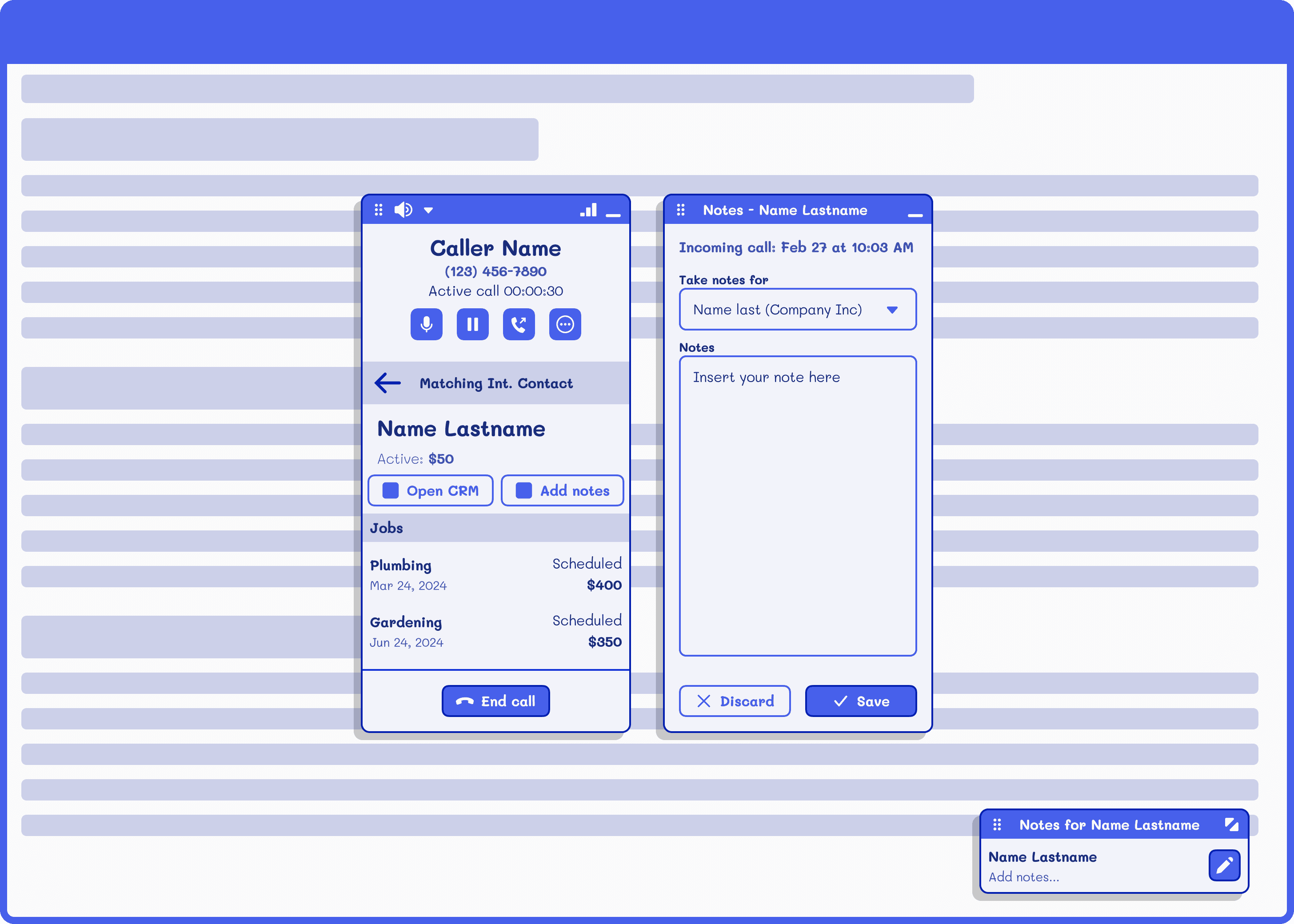
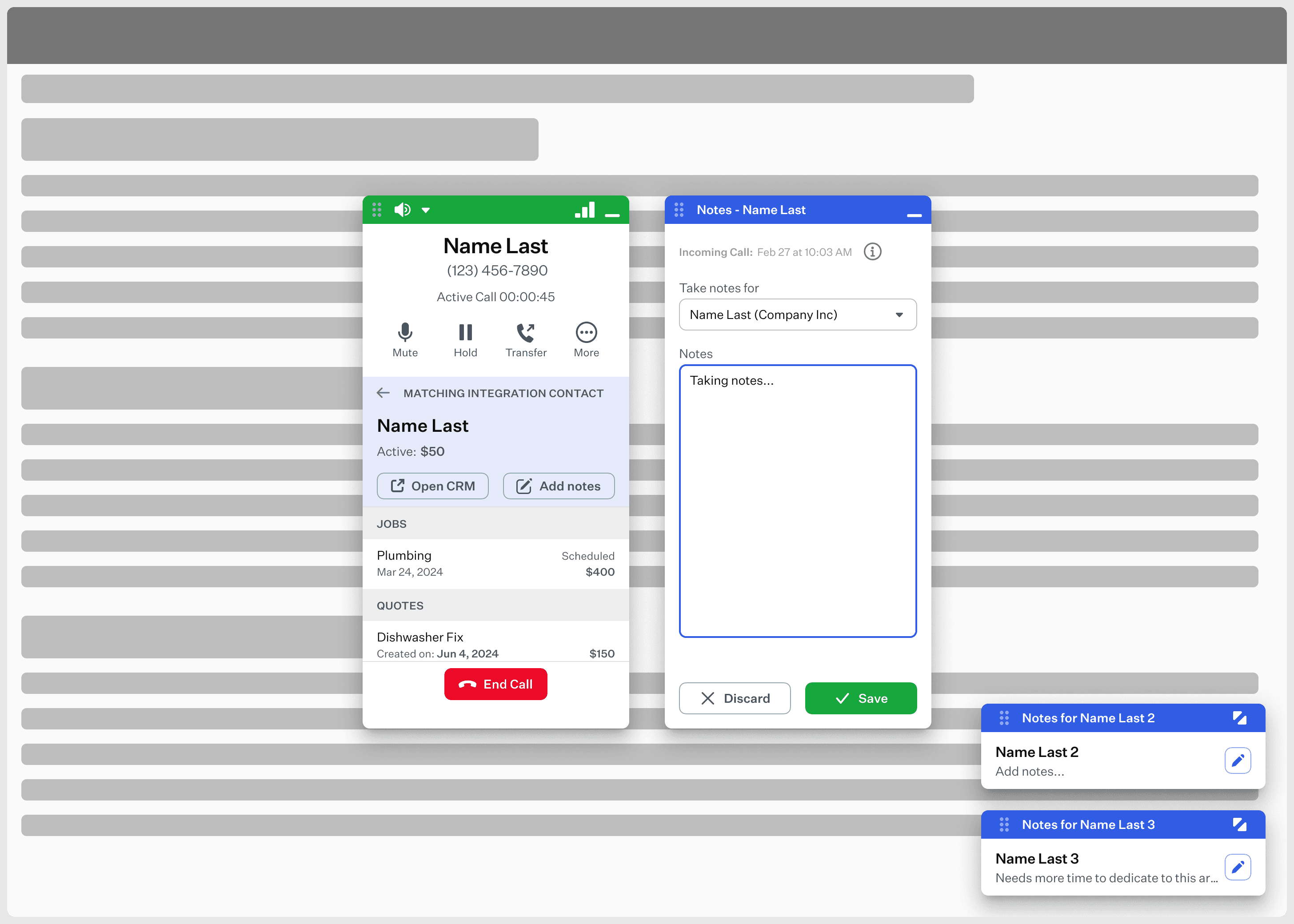
Some extra changes were added to improve scanning information easier. They're the following:
Moved the back arrow to the left of the "Matching Integration Contact" text
Added buttons with labels and icons to "Open CRM" and "Add notes" below the matched contact
Removed rounded corners that were around the matching contact layer
Added extra information about items that the CRM has for the contact
Adjusted the call actions button and added 3 quick actions and a More menu to interact with all actions
Some extra changes were added to improve scanning information easier. They're the following:
Moved the back arrow to the left of the "Matching Integration Contact" text
Added buttons with labels and icons to "Open CRM" and "Add notes" below the matched contact
Removed rounded corners that were around the matching contact layer
Added extra information about items that the CRM has for the contact
Adjusted the call actions button and added 3 quick actions and a More menu to interact with all actions
Conclusion
Conclusion
Conclusion
This project helped me understand how to work and collaborate between design, development, and project management to deliver these new integrations to our users. It also provided some challenges such as looking for ways between design and development to agree, new issues that surfaced during the creative process, and being able to create a solution that was easy to implement, but also easy for users to interact with.
Everything surrounding this project helped me grow more as a designer and take more responsibility for my designs, my approaches with the team, and the way we collaborate and get together to agree on solutions that will benefit everybody.
This project helped me understand how to work and collaborate between design, development, and project management to deliver these new integrations to our users. It also provided some challenges such as looking for ways between design and development to agree, new issues that surfaced during the creative process, and being able to create a solution that was easy to implement, but also easy for users to interact with.
Everything surrounding this project helped me grow more as a designer and take more responsibility for my designs, my approaches with the team, and the way we collaborate and get together to agree on solutions that will benefit everybody.
Other projects
Other projects
Other projects
View other projects that I've worked on during the years.
View other projects that I've worked on during the years.
View other projects that I've worked on during the years.
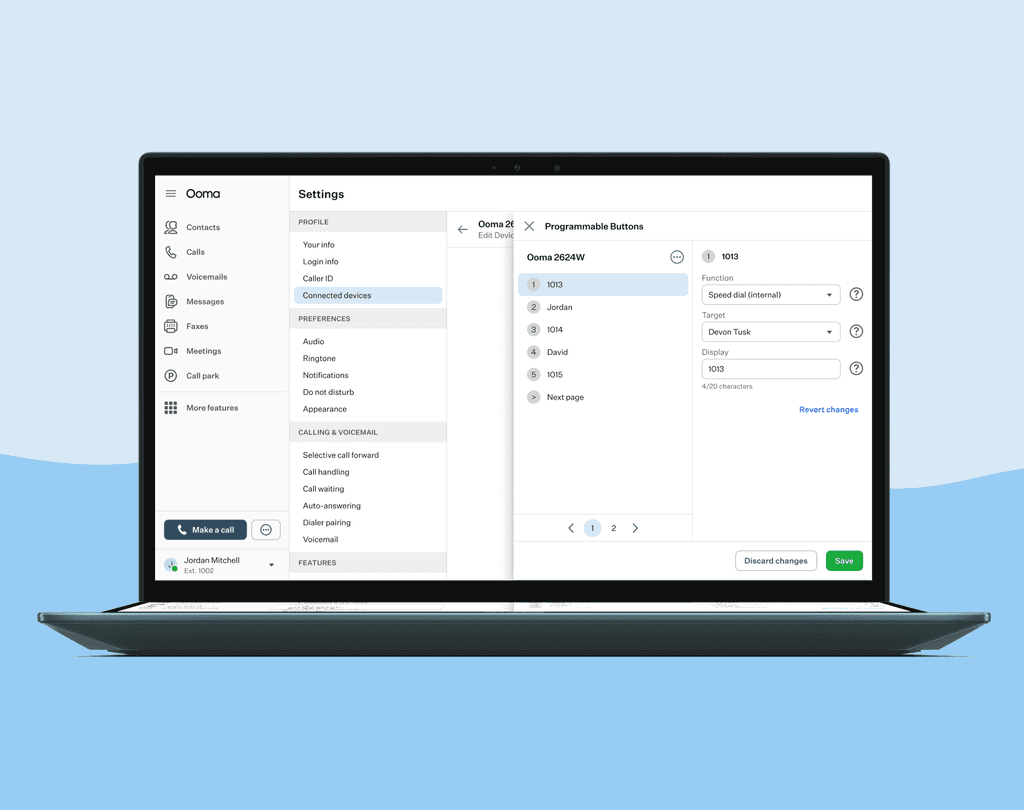
Configure Programmable Buttons in devices
Set your device to have different features depending on what you click.
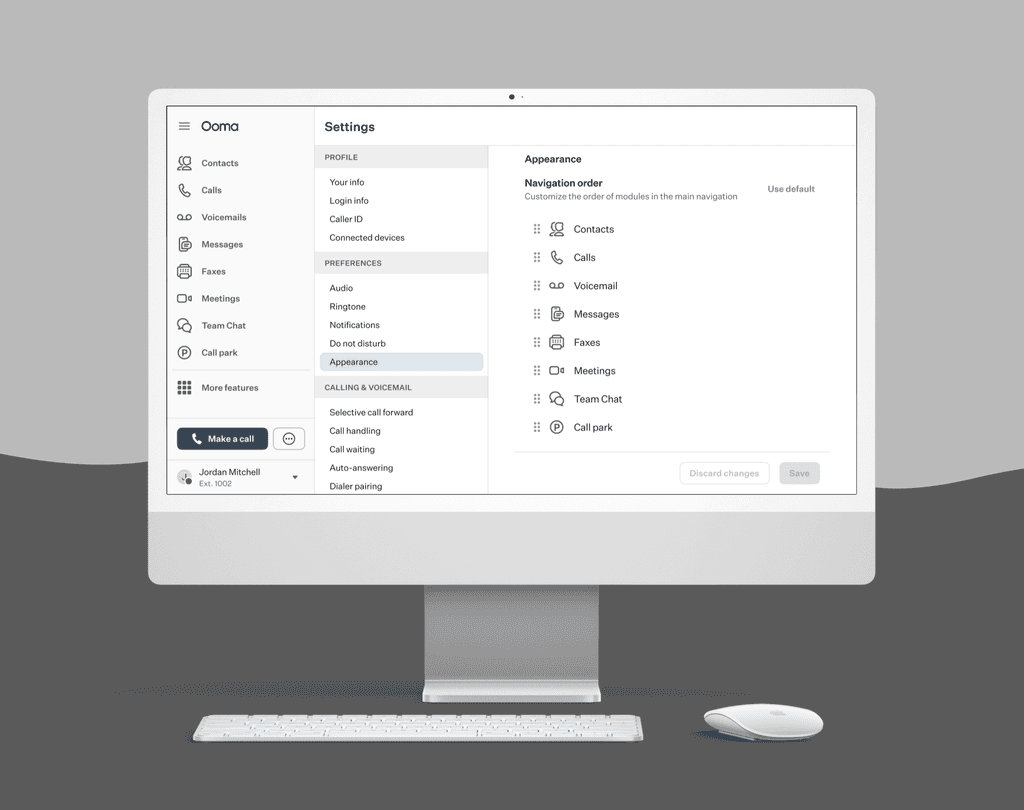
Customizing navigation in menu
Set your menu navigation the way you prefer and have easier access to your favorite features.