Configure Programmable Buttons in devices
Configure Programmable Buttons in devices
Configure Programmable Buttons in devices
Set your device to have different features depending on what you click.
Set your device to have different features depending on what you click.
Set your device to have different features depending on what you click.
Role
Role
Product Designer at Ooma
Product Designer at Ooma
Duration
Duration
4 Weeks
4 Weeks
Tools
Figma
Jira
Design process
Research
Exploration
Mockups
Prototypes
Tools
Tools
Figma
Jira
Figma
Jira
Design process
Design process
Research
Iteration
Built components
Mockups
Research
Iteration
Built components
Mockups
Introduction
Introduction
Introduction
Ooma currently has a setting where users can configure their device in our app and assign different tasks of the buttons they press on their physical device. As we're transitioning to redesign our app, this feature would need a rework to be adapted as well as be scalable with multiple types of devices.
Ooma currently has a setting where users can configure their device in our app and assign different tasks of the buttons they press on their physical device. As we're transitioning to redesign our app, this feature would need a rework to be adapted as well as be scalable with multiple types of devices.
Research
Research
Research
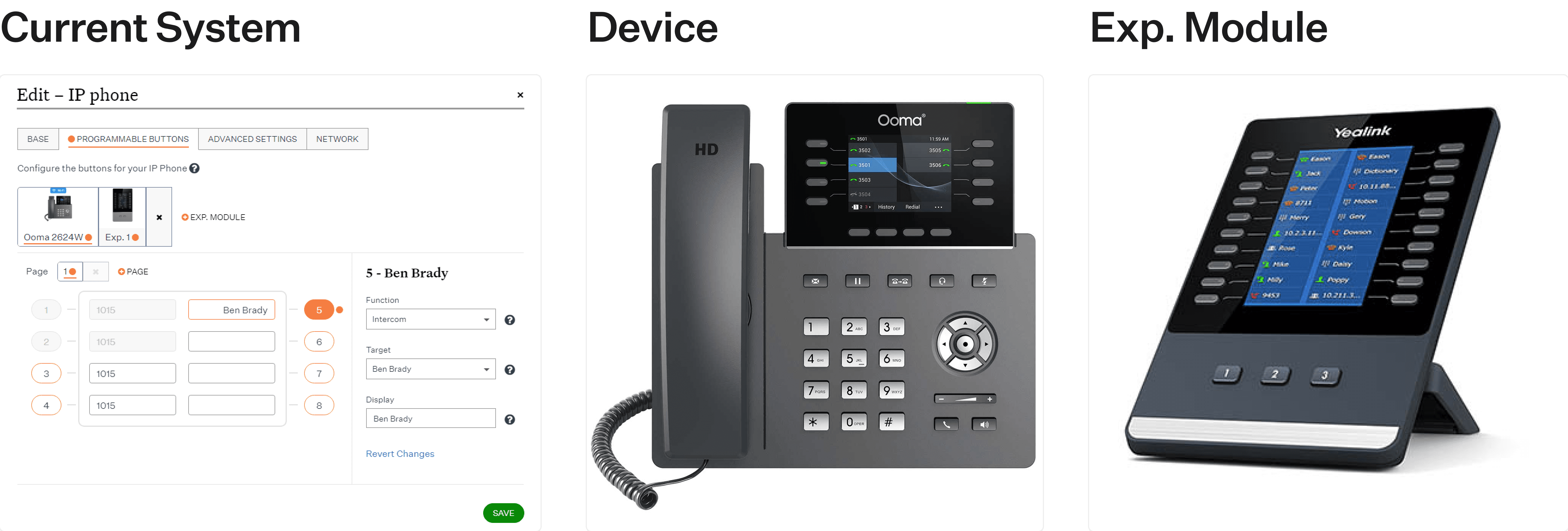
The first step was to review the current feature we have in our app. We currently can configure our devices' programmable buttons in the "Edit Device" area.
Each device can have multiple pages as well as the ability to attach an expansion module to add more buttons. You can perform multiple tasks such as send contacts to a Call Park, make multicast announcements, among other tasks.
The first step was to review the current feature we have in our app. We currently can configure our devices' programmable buttons in the "Edit Device" area.
Each device can have multiple pages as well as the ability to attach an expansion module to add more buttons. You can perform multiple tasks such as send contacts to a Call Park, make multicast announcements, among other tasks.
Wireframes
Wireframes
Wireframes
Now that we understood a bit more how this feature works, we started sketching multiple ideas on how this would be implemented using our new design structure.
The original feature was inside a modal, but for this adjustment, we moved it into a full page and thought of different approaches to solve this.
We wanted to avoid adapting each device's to our software and have instead a base layout that all devices would have.
Now that we understood a bit more how this feature works, we started sketching multiple ideas on how this would be implemented using our new design structure.
The original feature was inside a modal, but for this adjustment, we moved it into a full page and thought of different approaches to solve this.
We wanted to avoid adapting each device's to our software and have instead a base layout that all devices would have.
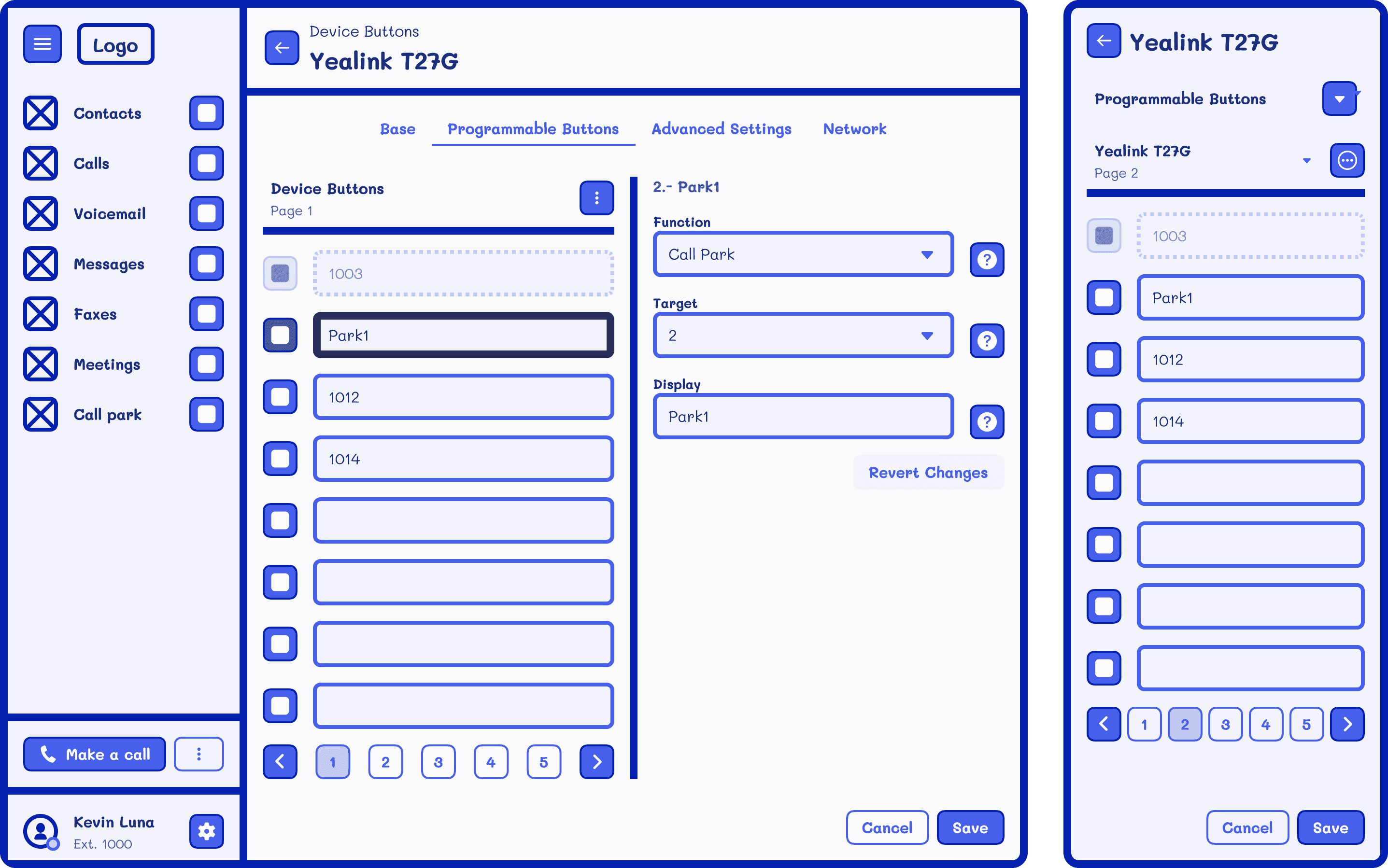
The left pane would serve as a way for the users to select each button and the right pane would be used to configure it. The user can also add multiple pages and expansion modules using the menu button from the left pane and save changes once everything looks good.
Having everything ordered as a scrollable list instead of adapting each device's structure would let our system be scalable to support multiple devices with different amount of buttons without compromising time constraints.
The left pane would serve as a way for the users to select each button and the right pane would be used to configure it. The user can also add multiple pages and expansion modules using the menu button from the left pane and save changes once everything looks good.
Having everything ordered as a scrollable list instead of adapting each device's structure would let our system be scalable to support multiple devices with different amount of buttons without compromising time constraints.
Challenges in design
Challenges in design
Challenges in design
Once we finished exploring multiple ideas for this approach and settled on a concept, we started adapting everything to high fidelity.
Once we finished exploring multiple ideas for this approach and settled on a concept, we started adapting everything to high fidelity.
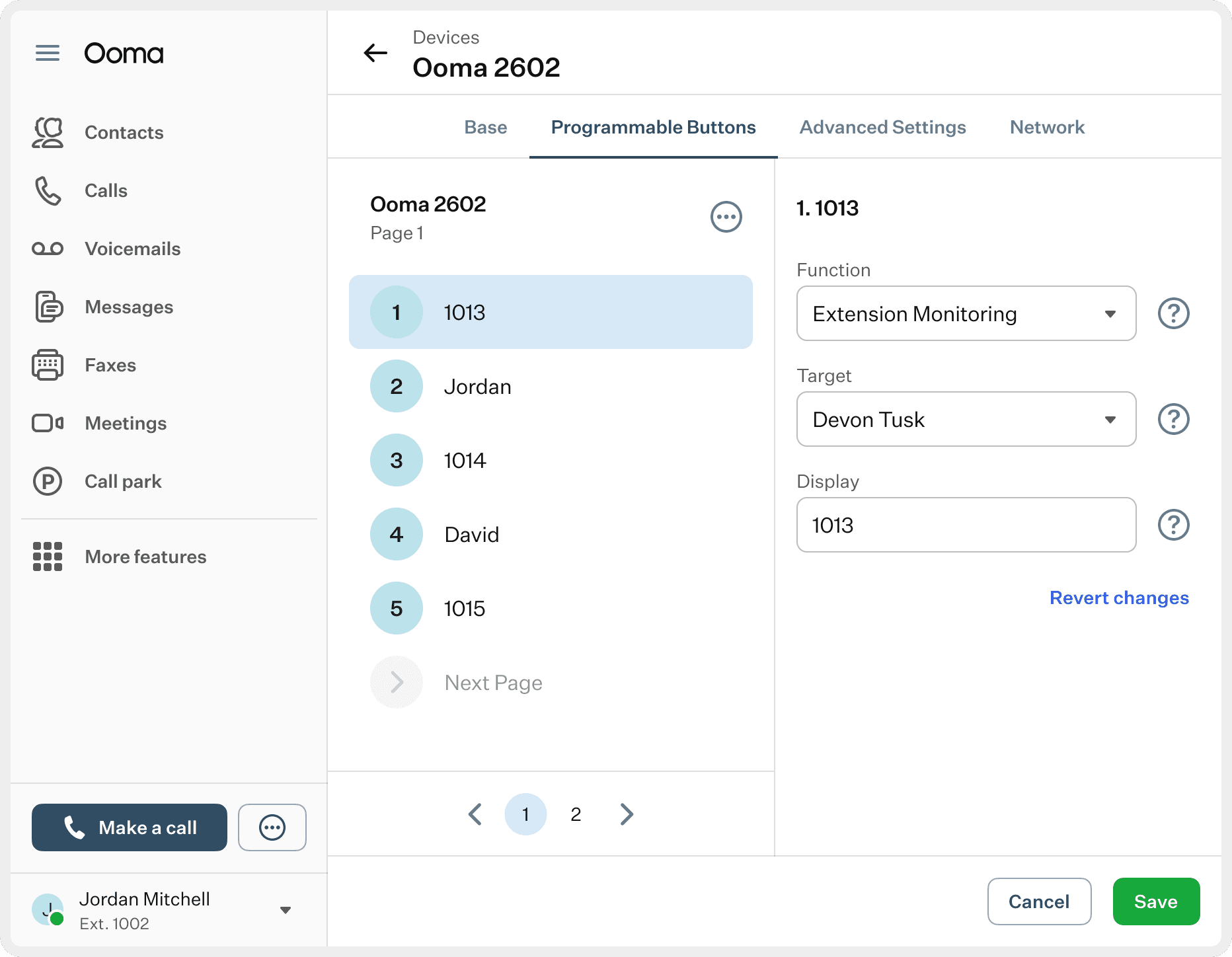
Initially our design didn't have any issues while adapting it, but later on, a new redesign of the Settings page that used a two pane view implied that we had to adapt the way our design looked with new structure.
Initially our design didn't have any issues while adapting it, but later on, a new redesign of the Settings page that used a two pane view implied that we had to adapt the way our design looked with new structure.
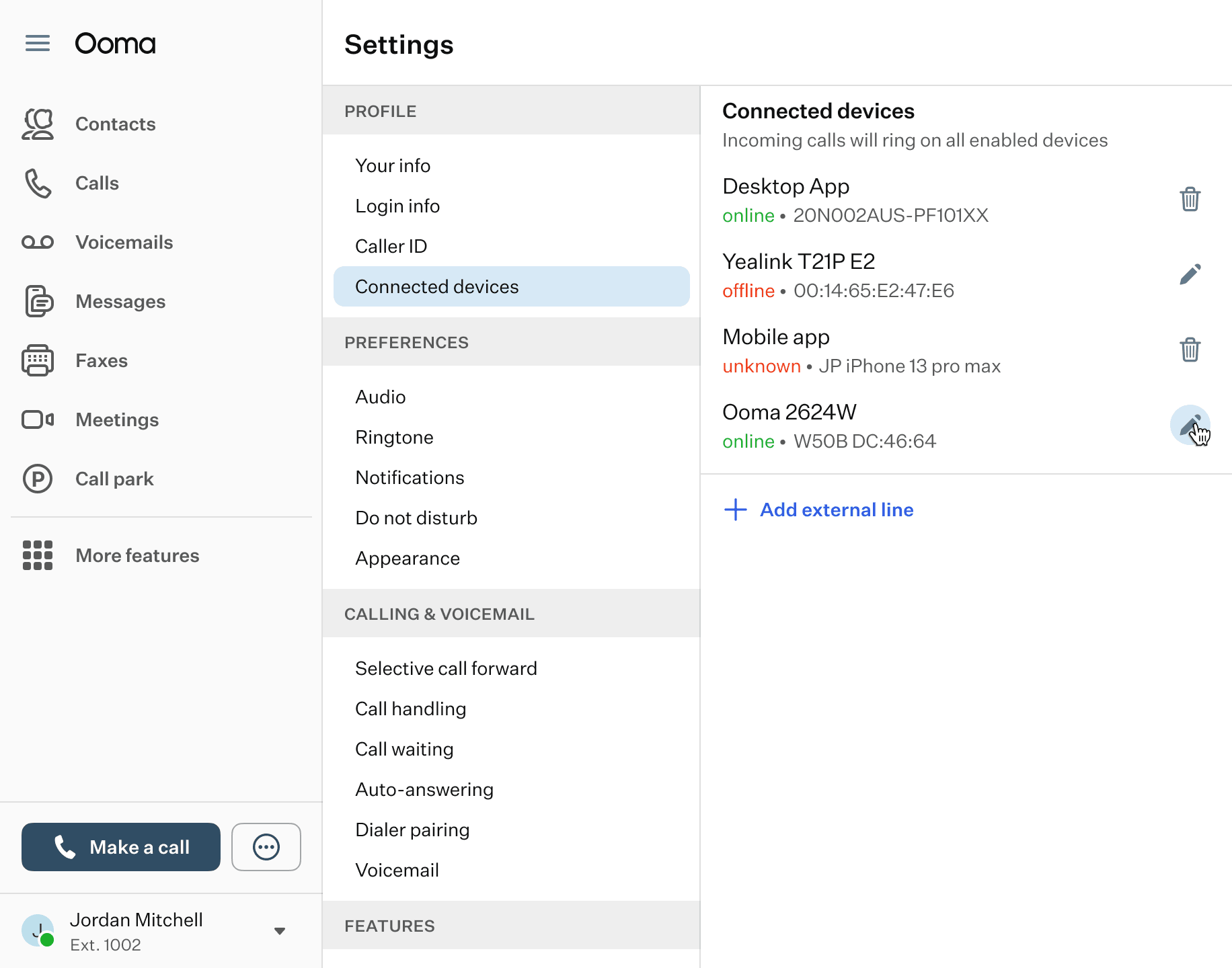
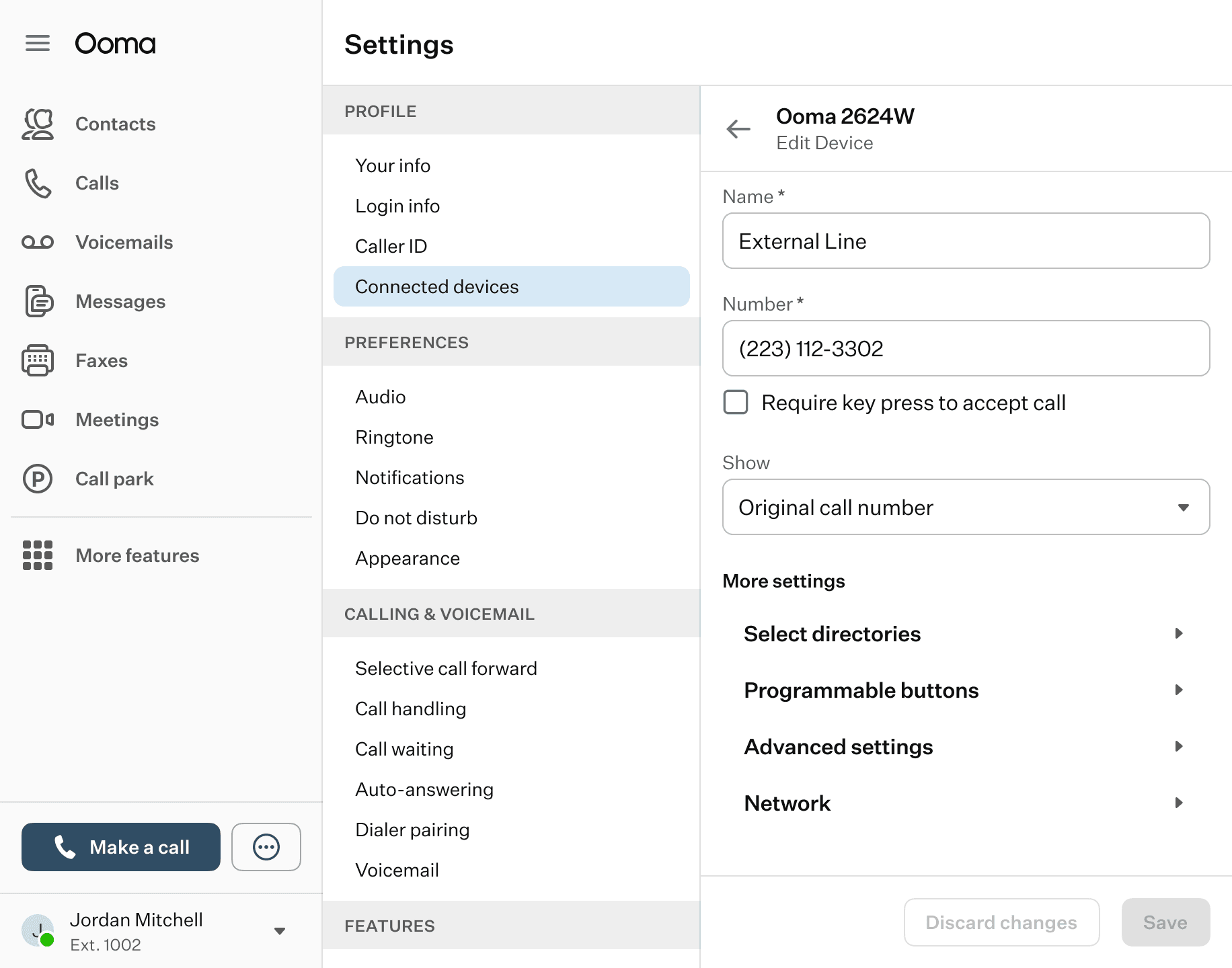
Now that the left pane was reserved for the Settings menu, we only had room to use the right pane for our features. We thought of adding a dialog, using accordion or even progressive pages, and each option had their strengths and weaknesses, but we ended up going with a different approach.
Now that the left pane was reserved for the Settings menu, we only had room to use the right pane for our features. We thought of adding a dialog, using accordion or even progressive pages, and each option had their strengths and weaknesses, but we ended up going with a different approach.
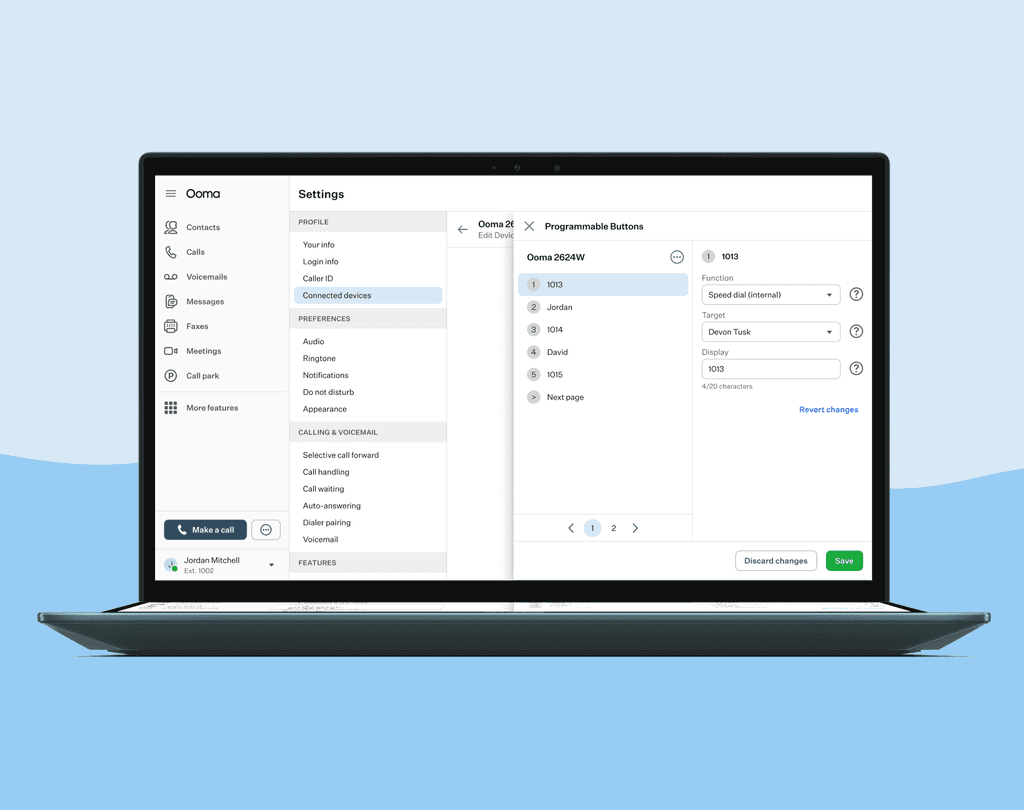
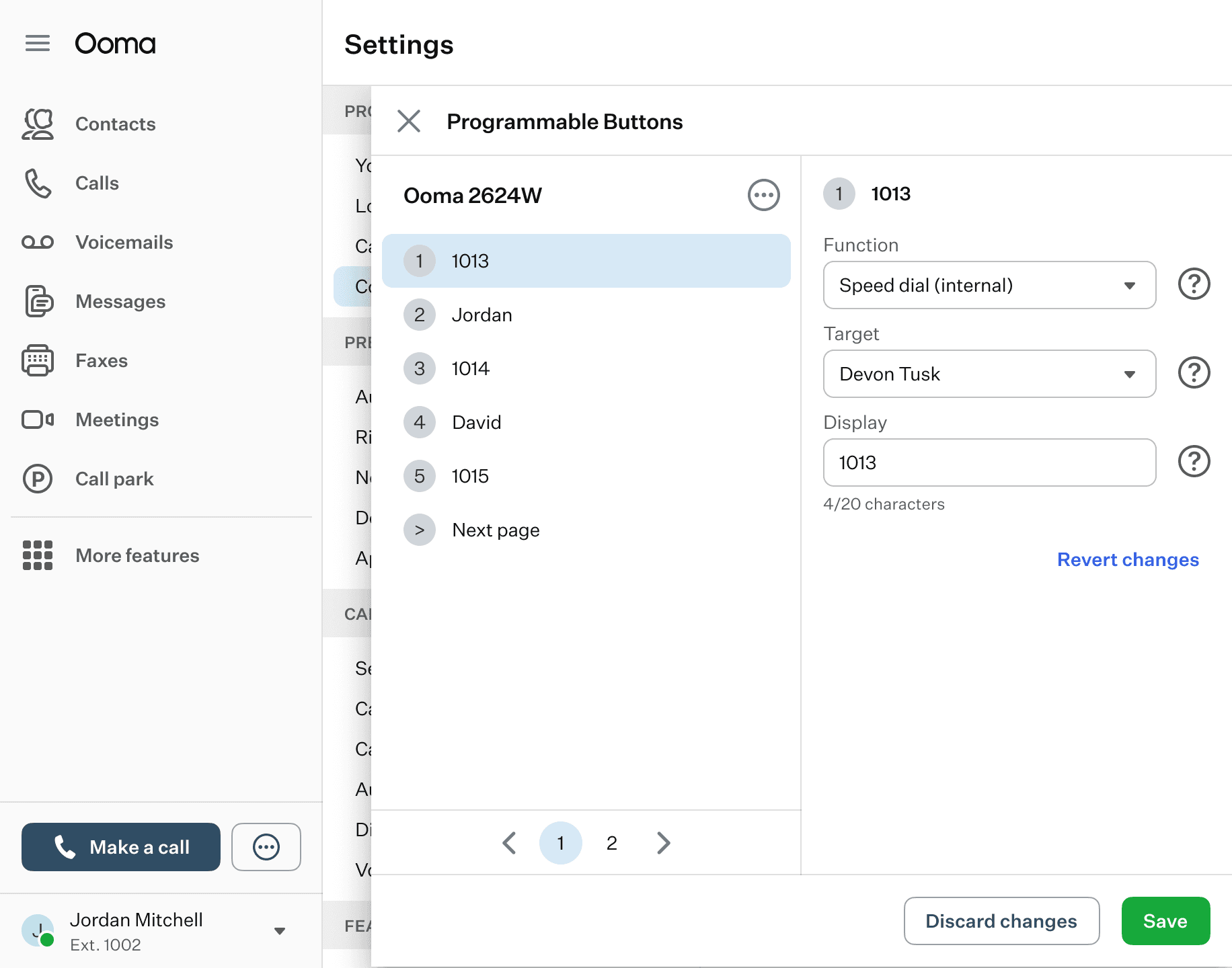
We adapted the design using a drawer. This is an element that's being used throughout our app for multiple features and helped us to maintain consistency. The user would have to access this drawer through the Connected devices area and click on the Programmable buttons item to open the drawer. The other features originally in tabs are now located in other list items.
This also helped us preserve the two pane view in a different setting so the user can edit their buttons without going back and forth between pages and also helps to scan and correlate what they're seeing on the left pane compared to the settings on the right.
We adapted the design using a drawer. This is an element that's being used throughout our app for multiple features and helped us to maintain consistency. The user would have to access this drawer through the Connected devices area and click on the Programmable buttons item to open the drawer. The other features originally in tabs are now located in other list items.
This also helped us preserve the two pane view in a different setting so the user can edit their buttons without going back and forth between pages and also helps to scan and correlate what they're seeing on the left pane compared to the settings on the right.
Conclusion
Conclusion
Conclusion
This project helped me understand a bit more on how our digital apps can affect physical devices as well and to look for ways to make it easy to understand how to correlate both products.
It also challenged me to adapt my ideas with new updates that started coming and look for ways to preserve my original intent in a new format without compromising the user.
This project helped me understand a bit more on how our digital apps can affect physical devices as well and to look for ways to make it easy to understand how to correlate both products.
It also challenged me to adapt my ideas with new updates that started coming and look for ways to preserve my original intent in a new format without compromising the user.
Other projects
Other projects
Other projects
View other projects that I've worked on during the years.
View other projects that I've worked on during the years.
View other projects that I've worked on during the years.
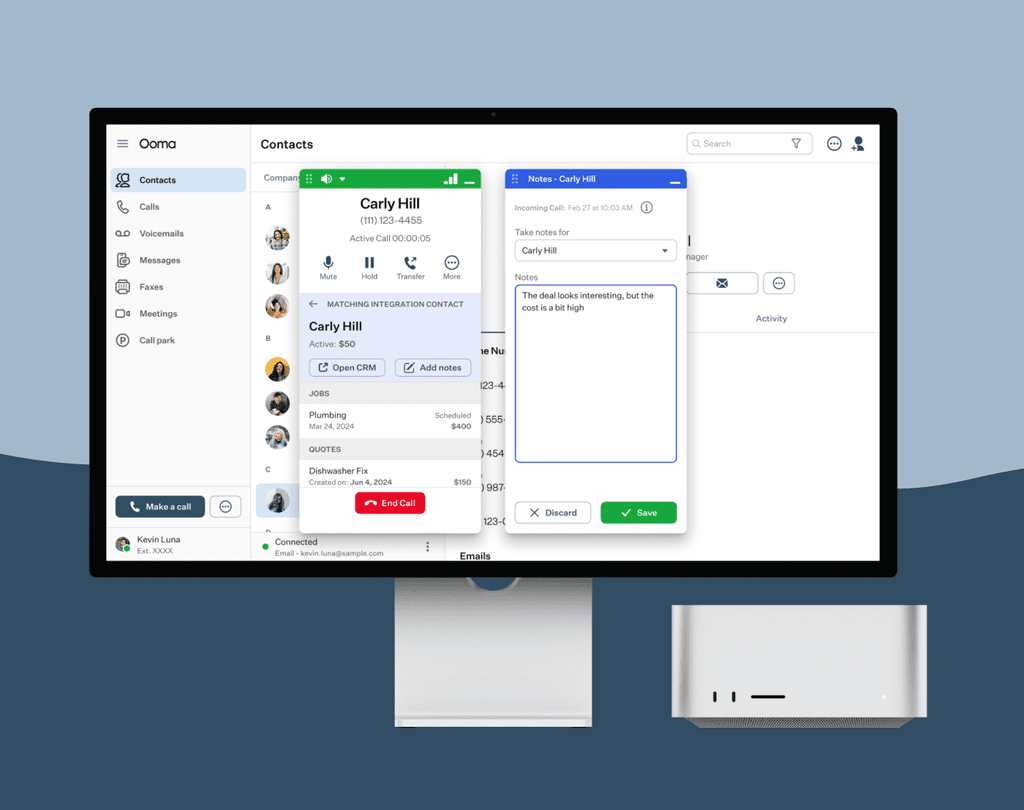
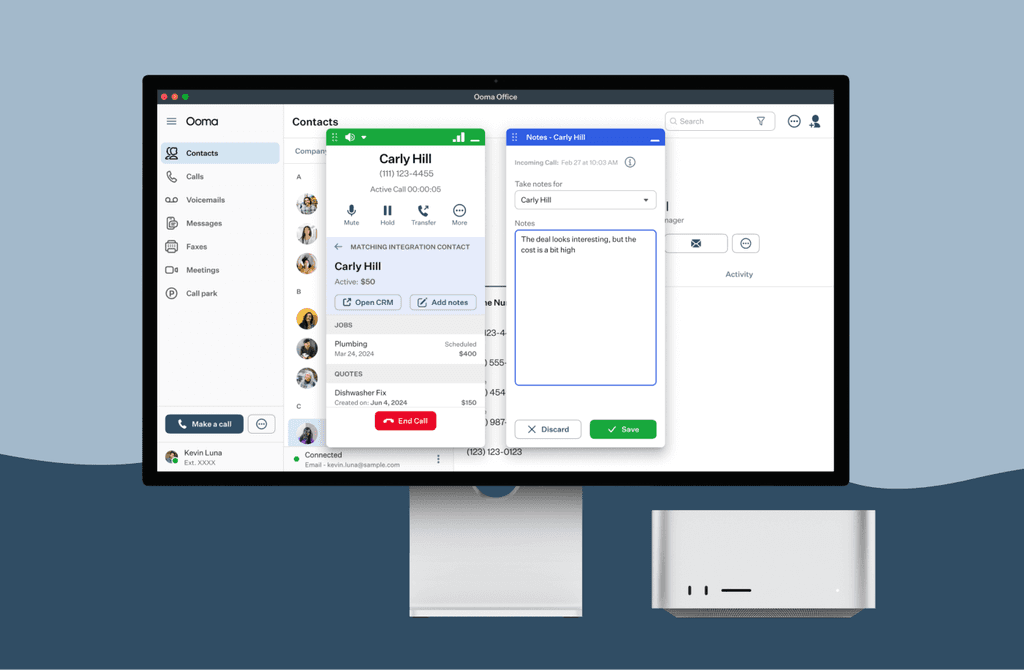
Add notes while taking calls
Connect with our different CRM Integrations and take notes of conversations with your client.
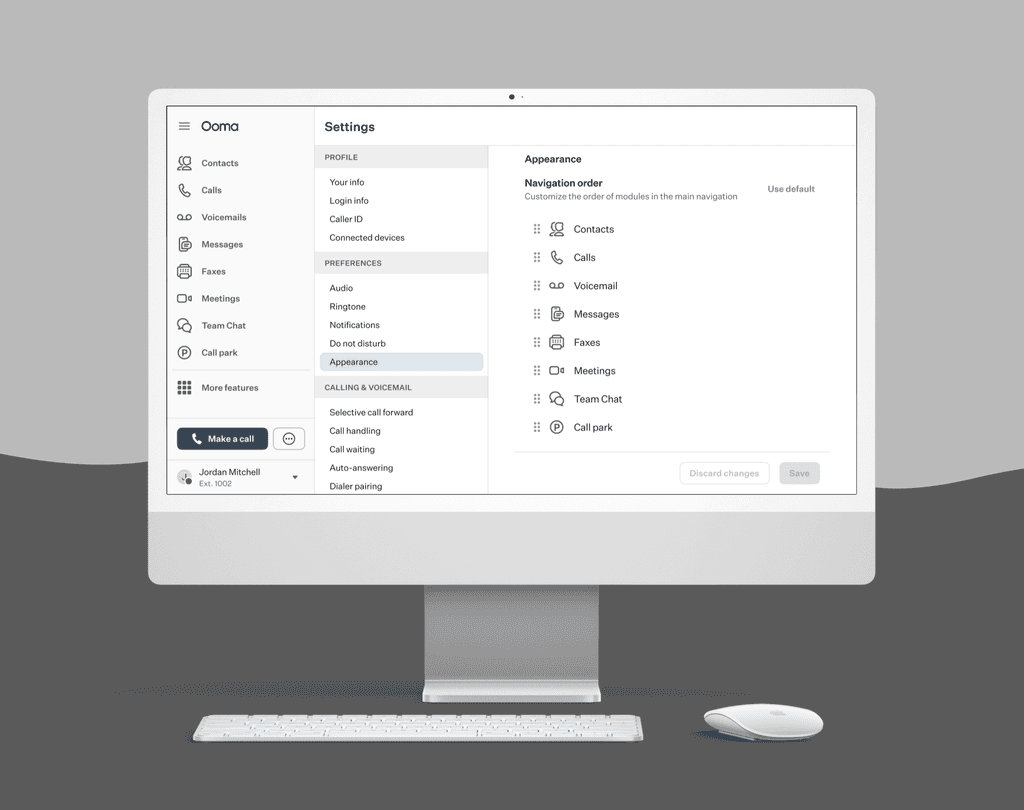
Customizing navigation in menu
Set your menu navigation the way you prefer and have easier access to your favorite features.