Solving math with an app
Solving math with an app
Solving math with an app
Scan. Draw. Type. These 3 things can be done by Ecuatica to help you with math problems.
Scan. Draw. Type. These 3 things can be done by Ecuatica to help you with math problems.
Scan. Draw. Type. These 3 things can be done by Ecuatica to help you with math problems.
Role
Role
Product Designer
Product Designer
Duration
Duration
8 Weeks
8 Weeks
Tools
Figma
FigJam
Miro
Design process
Research
Exploration
Personas
Wireframing
Mockups
Tools
Tools
Figma
FigJam
Miro
Figma
FigJam
Miro
Design process
Design process
Research
Exploration
Personas
Wireframing
Mockups
Research
Exploration
Personas
Wireframing
Mockups
Introduction
Introduction
Introduction
This app was created as a way to facilitate solving mathematical procedures for students and teachers.
You can scan, draw or type your mathematical problem and the app will solve it.
This app was created as a way to facilitate solving mathematical procedures for students and teachers.
You can scan, draw or type your mathematical problem and the app will solve it.
Problems
Problems
Problems
Students had difficulties to understand the processes behind solving a mathematical problem and how to get to the solution.
Teachers spent a lot of time grading tests and solving the answers. Compromises to have less problems to solve in tests had to be done to avoid more time consumption.
Engineers had trouble solving complex problems in their industry and it was time consuming for them. This would slow processes and less work would be done.
Students had difficulties to understand the processes behind solving a mathematical problem and how to get to the solution.
Teachers spent a lot of time grading tests and solving the answers. Compromises to have less problems to solve in tests had to be done to avoid more time consumption.
Engineers had trouble solving complex problems in their industry and it was time consuming for them. This would slow processes and less work would be done.
Competitor Analysis
Competitor Analysis
Competitor Analysis
We reviewed some of the possible competitors that we could face in this industry to review their strengths and weaknesses.
Photomath: They were the most popular scanning app for math problems out there, but they’d rarely show the process behind the solution and sometimes couldn’t solve complex solutions.
MyScript: Their main strength was the ability to draw operations and solve them, but they couldn’t be complex and didn’t show some solutions.
Mathway: They had a complex calculator, but lacked the ability to scan or draw operations.
We reviewed some of the possible competitors that we could face in this industry to review their strengths and weaknesses.
Photomath: They were the most popular scanning app for math problems out there, but they’d rarely show the process behind the solution and sometimes couldn’t solve complex solutions.
MyScript: Their main strength was the ability to draw operations and solve them, but they couldn’t be complex and didn’t show some solutions.
Mathway: They had a complex calculator, but lacked the ability to scan or draw operations.
Personas
Personas
Personas
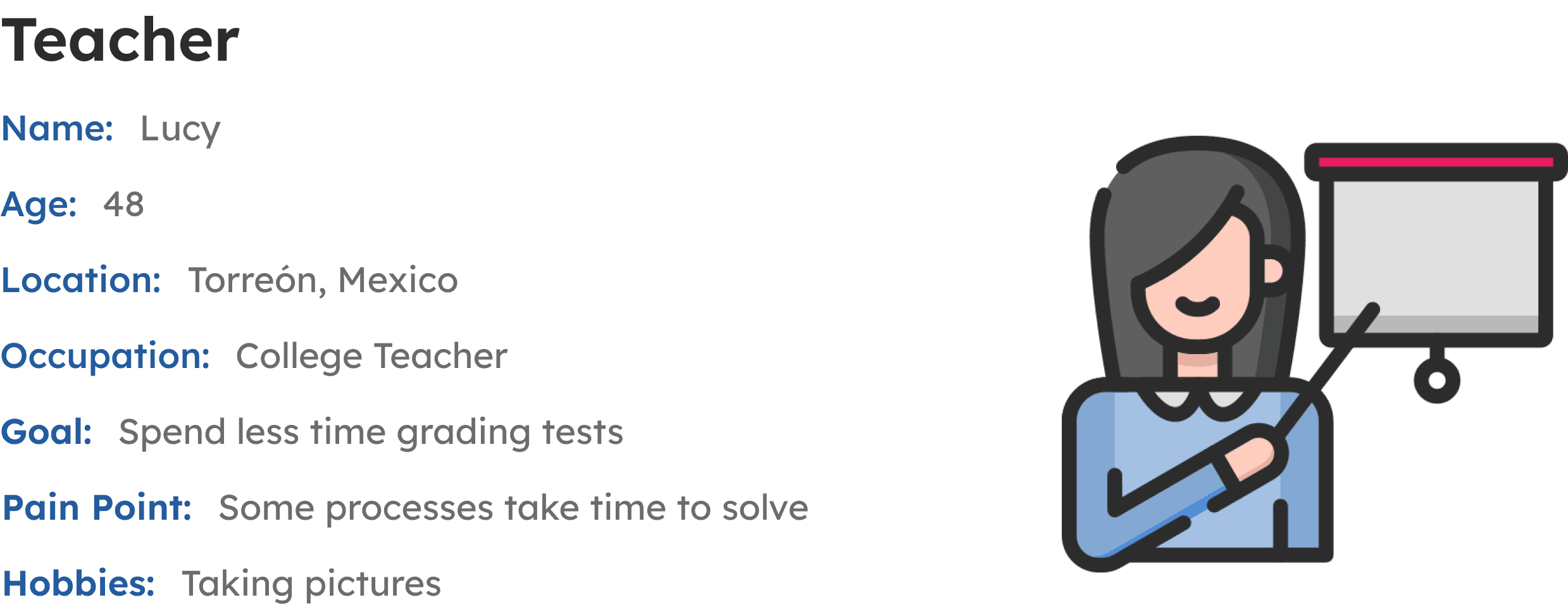
We tried creating personas for people that would possibly use our app. That involved students, teachers, and industry professionals.
We tried creating personas for people that would possibly use our app. That involved students, teachers, and industry professionals.


User flowchart
User flowchart
User flowchart
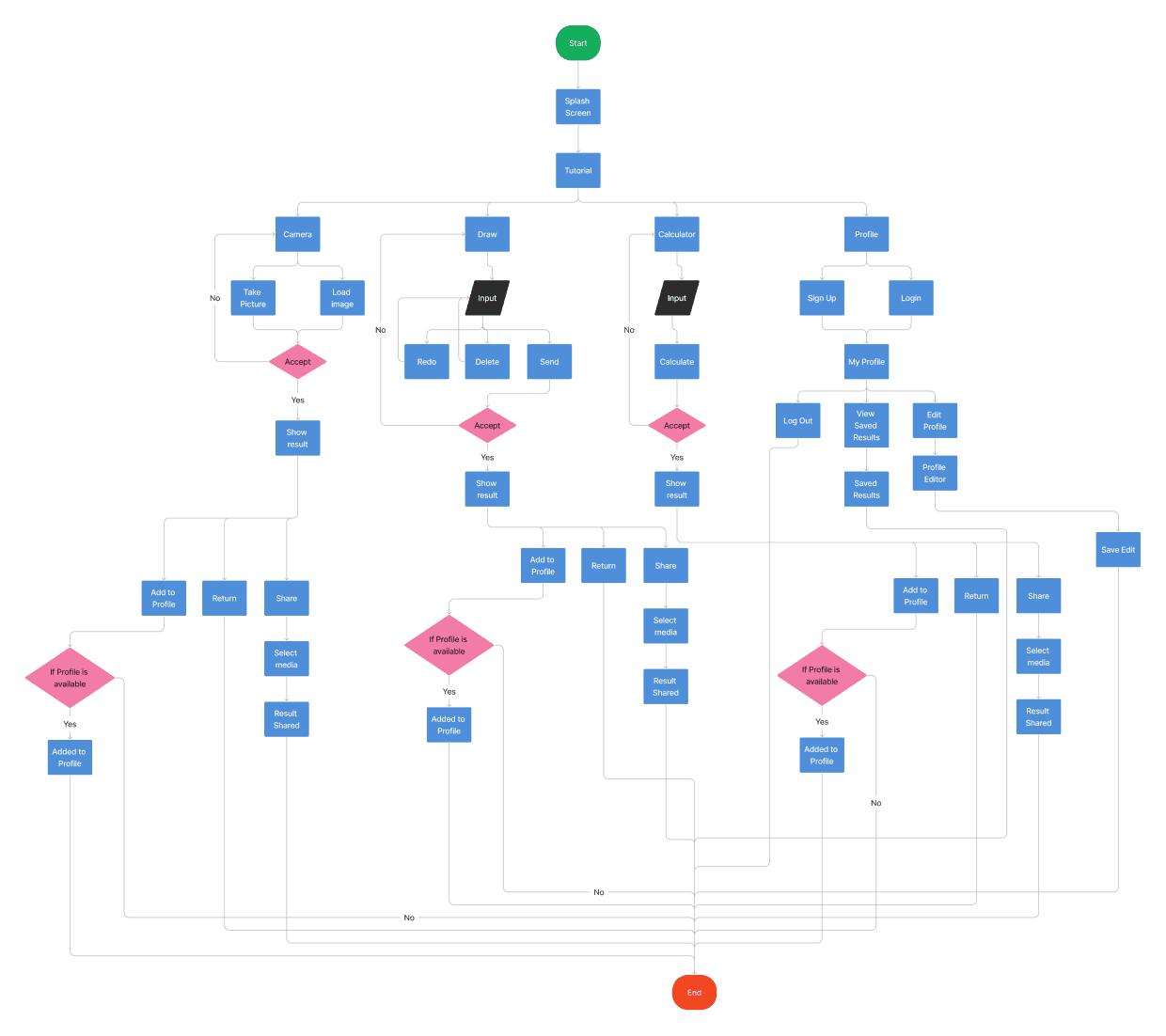
For this flowchart, we tried to understand how the user would interact with the app, what would they like to see first and how would they use it in a seamless way.
For this flowchart, we tried to understand how the user would interact with the app, what would they like to see first and how would they use it in a seamless way.
Wireframes
Wireframes
Wireframes
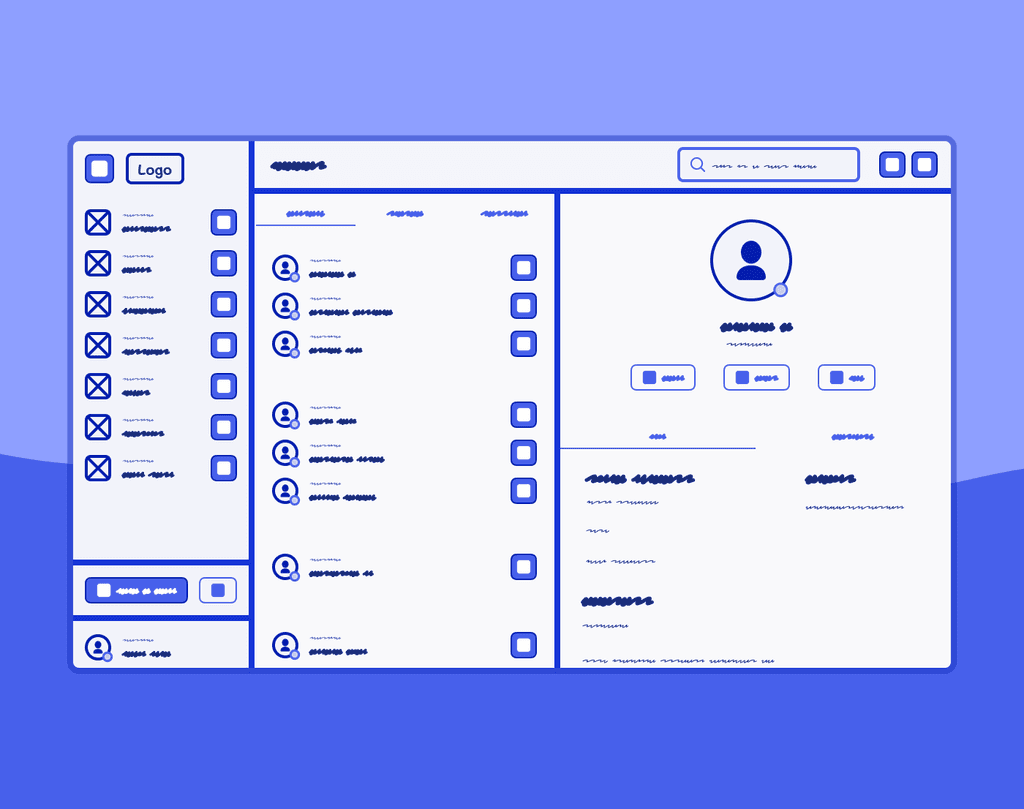
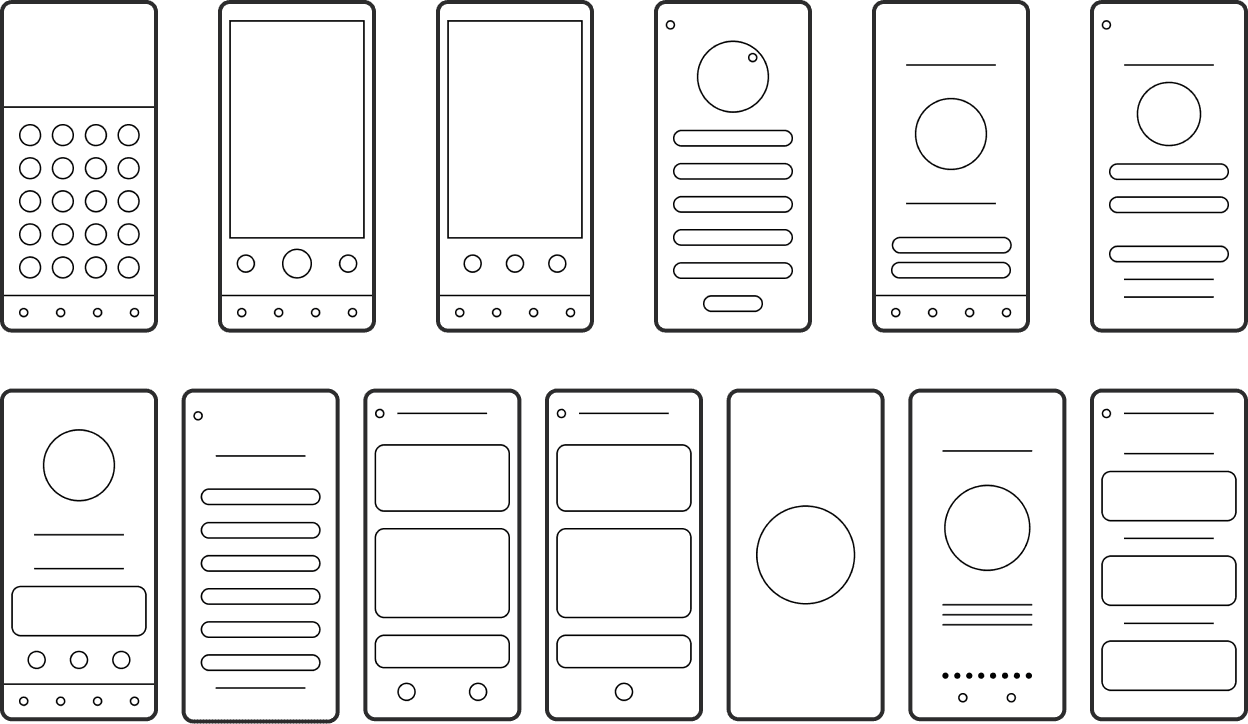
Once the flowchart was created, we started structuring the design through wireframes to give us an idea on how the user would navigate through the app and the possible routes they could take.
The main takeaways we wanted to solve with this app were:
A simple way to scan a problem
An easy way to draw how the problem looks
A clean calculator that’s user friendly
Getting your answers quick and with a clear process behind them
The ability to save your solved problems and share them with everyone
Once the flowchart was created, we started structuring the design through wireframes to give us an idea on how the user would navigate through the app and the possible routes they could take.
The main takeaways we wanted to solve with this app were:
A simple way to scan a problem
An easy way to draw how the problem looks
A clean calculator that’s user friendly
Getting your answers quick and with a clear process behind them
The ability to save your solved problems and share them with everyone
Colors & Typography
Colors & Typography
Colors & Typography
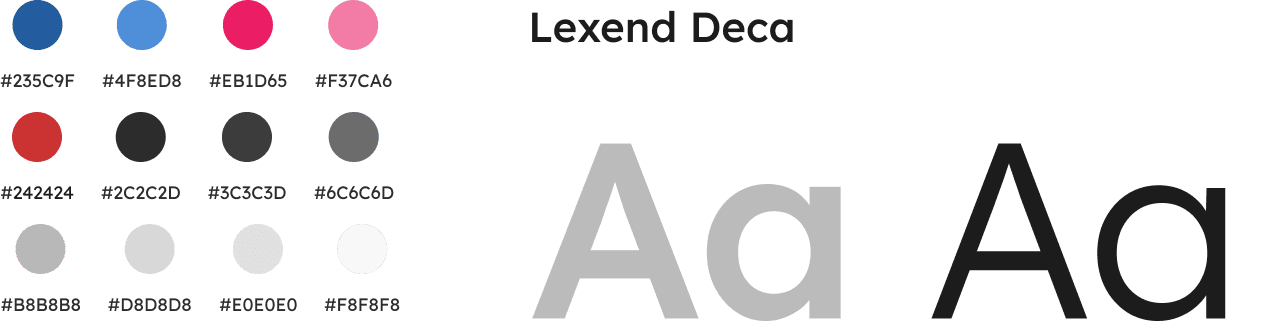
After the design was structured, we started moving with the app visuals including the colors and typography being used. We went with blue and pink as our primary and secondary colors with shades of gray and black for different areas of the design. We also used a Sans Serif font called Lexend Deca that’s easy to read and understand.
After the design was structured, we started moving with the app visuals including the colors and typography being used. We went with blue and pink as our primary and secondary colors with shades of gray and black for different areas of the design. We also used a Sans Serif font called Lexend Deca that’s easy to read and understand.
Mockups
Mockups
Mockups
Onboarding process
Onboarding process
Onboarding process
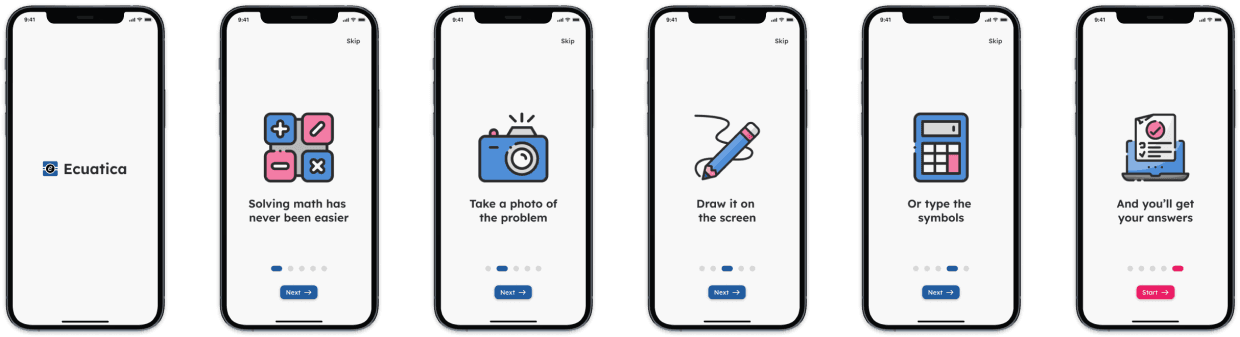
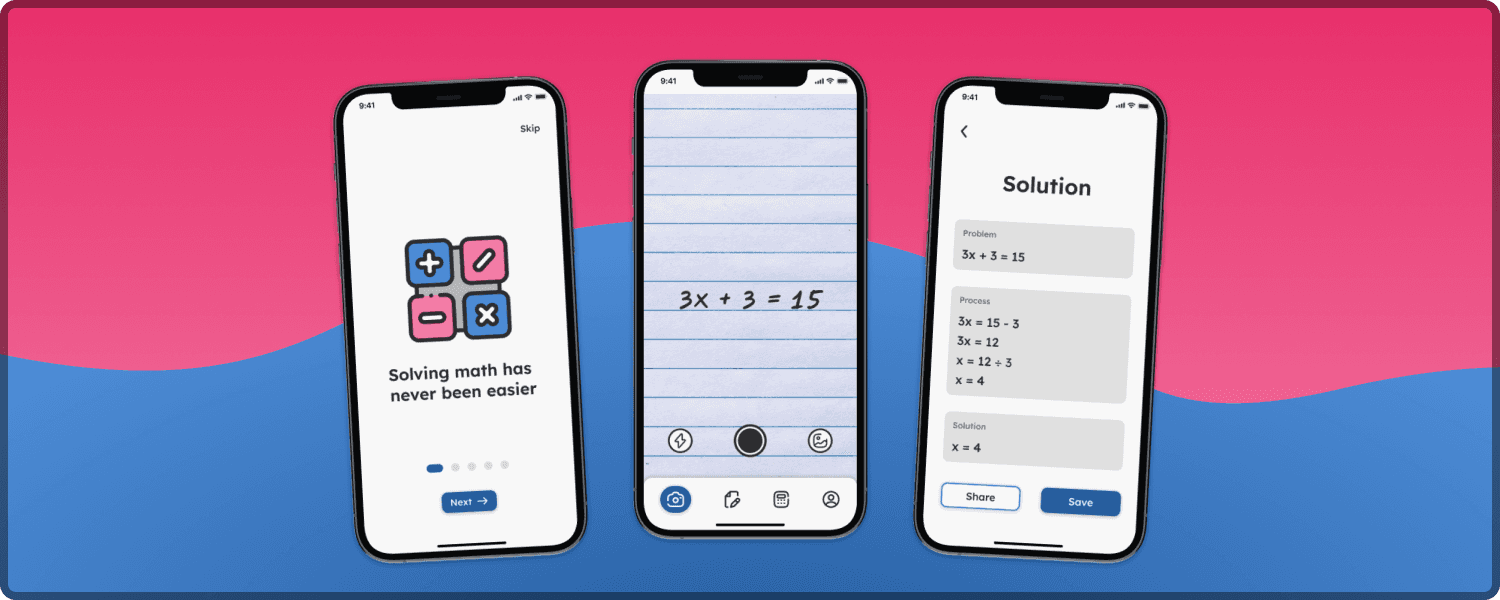
This tutorial helps the user to understand the different ways on how they can solve math problems. Either by taking a picture of the problem, drawing it or typing it in the calculator and they’ll get their answers.
This tutorial helps the user to understand the different ways on how they can solve math problems. Either by taking a picture of the problem, drawing it or typing it in the calculator and they’ll get their answers.
Main features
Main features
Main features
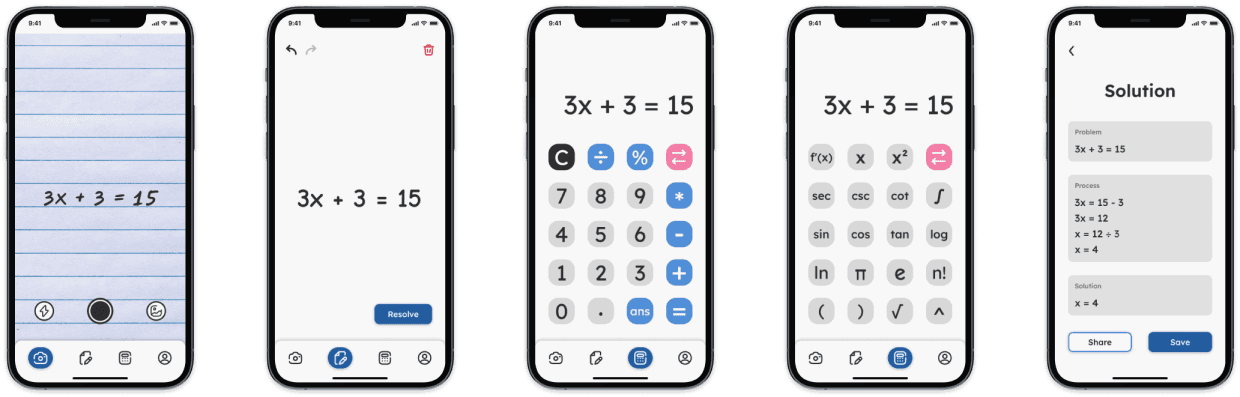
Here we have the app’s main features:
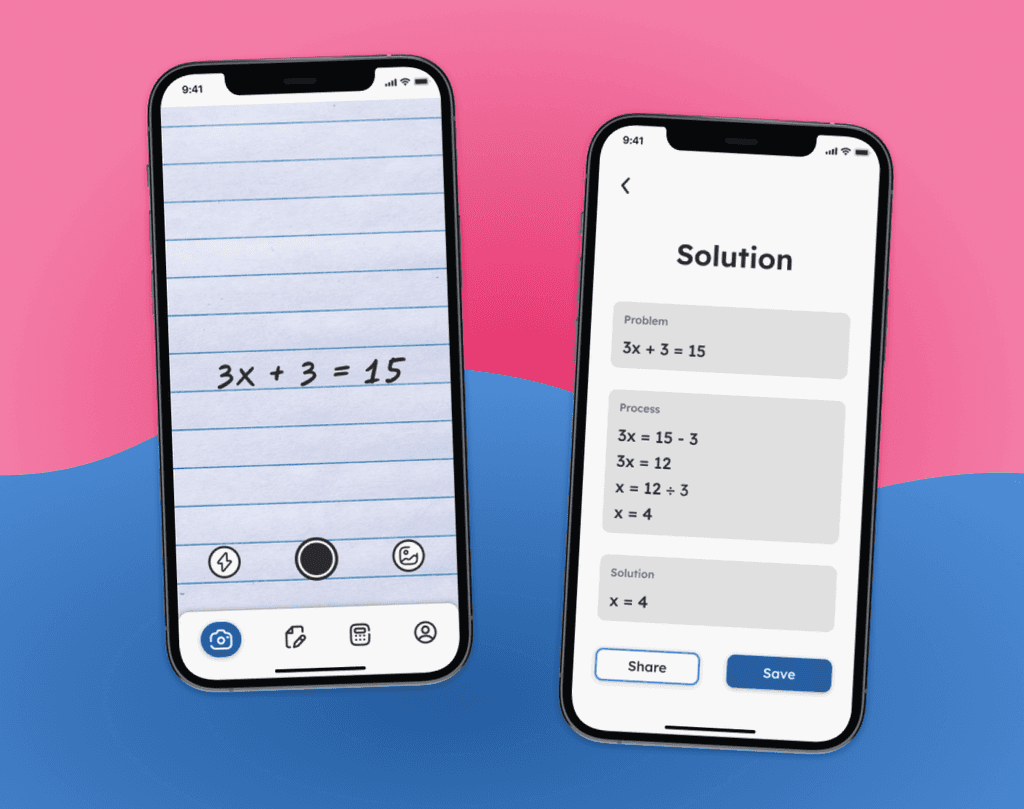
Scan: The interface looks similar to the ones found on mobile phone cameras to create a sense of familiarity. You can also activate the flash and upload your own images.
Draw: You can use your finger to draw the problem. You also have the ability to go back and forth with the problem you’re drawing as well as deleting it and starting again.
Type: You can always rely on our calculator to solve problems as well. It has a second view for more complex operations as well.
Solution: In the end, you’ll get your answers with a whole procedure on how the problem was solved. You can save this to your profile and share it with a friend.
Here we have the app’s main features:
Scan: The interface looks similar to the ones found on mobile phone cameras to create a sense of familiarity. You can also activate the flash and upload your own images.
Draw: You can use your finger to draw the problem. You also have the ability to go back and forth with the problem you’re drawing as well as deleting it and starting again.
Type: You can always rely on our calculator to solve problems as well. It has a second view for more complex operations as well.
Solution: In the end, you’ll get your answers with a whole procedure on how the problem was solved. You can save this to your profile and share it with a friend.
Profile features
Profile features
Profile features
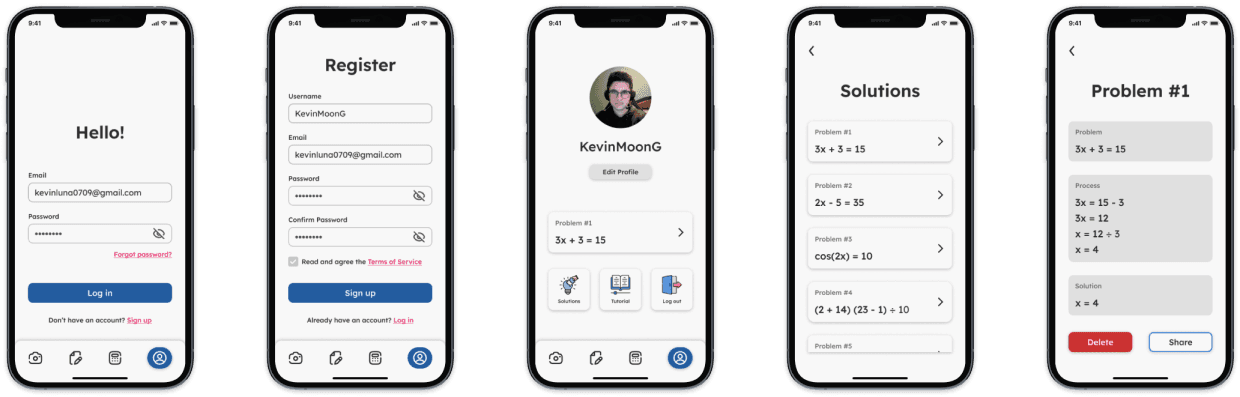
You also can sign in or create an account within the app. Once you have a profile, you can view the latest problem that you solved as well as all the problems that you have saved. This way you can solve problems quickly and save them to review later when feel more comfortable. You can also share these saved solutions with friends to help them review as well.
You also can sign in or create an account within the app. Once you have a profile, you can view the latest problem that you solved as well as all the problems that you have saved. This way you can solve problems quickly and save them to review later when feel more comfortable. You can also share these saved solutions with friends to help them review as well.
Feedback
Feedback
Feedback
We received some feedback from users and here are some of the things they said:
Easy to use and very useful for complex problems.
Excellent app! I congratulate you!
I like it. It helps me to review my solutions. I like to share my results with friends.
We received some feedback from users and here are some of the things they said:
Easy to use and very useful for complex problems.
Excellent app! I congratulate you!
I like it. It helps me to review my solutions. I like to share my results with friends.
Conclusion
Conclusion
Conclusion
This was one of the first projects that I had that helped me understand more about the software industry and the design involvement in this.
It helped me to start working as a team and to learn and grow more as a person and as a professional.
This was one of the first projects that I had that helped me understand more about the software industry and the design involvement in this.
It helped me to start working as a team and to learn and grow more as a person and as a professional.
Other projects
Other projects
Other projects
View other projects that I've worked on during the years.
View other projects that I've worked on during the years.
View other projects that I've worked on during the years.
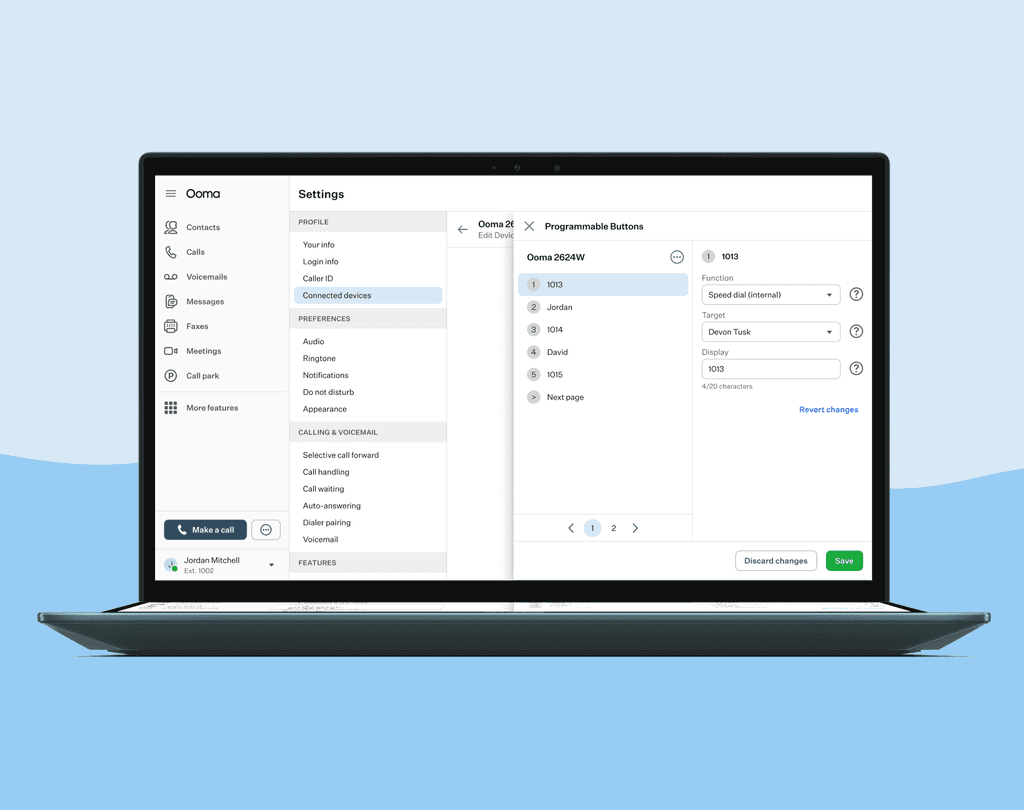
Configure Programmable Buttons in devices
Set your device to have different features depending on what you click.
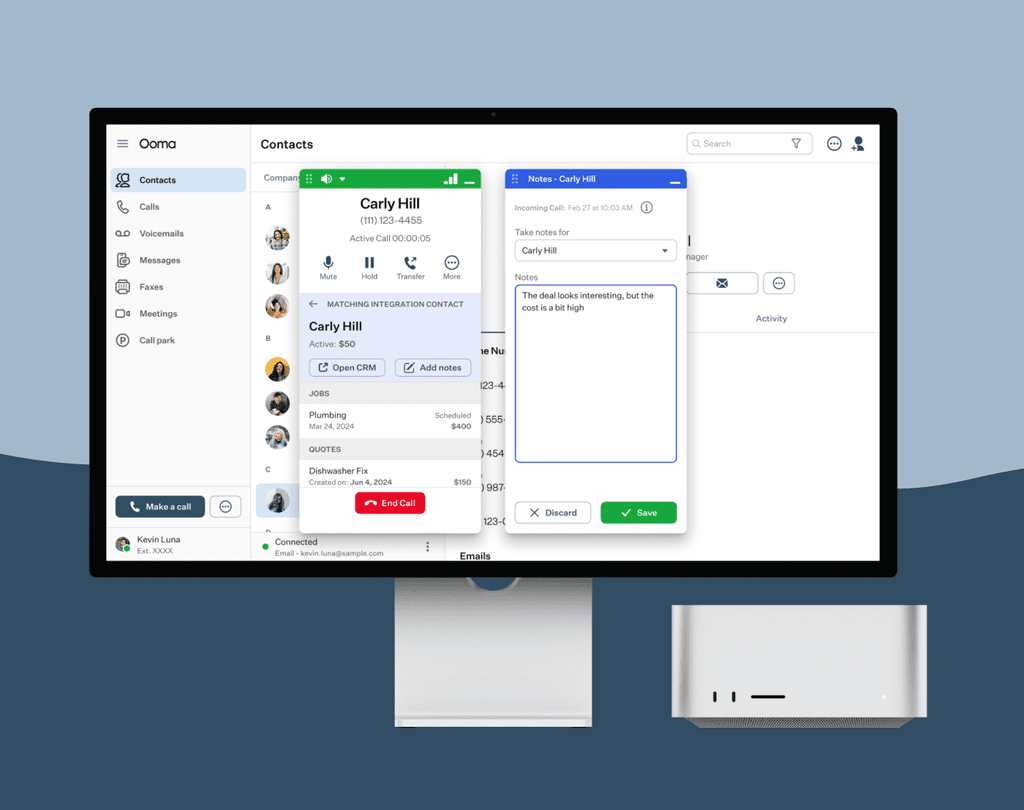
Add notes while taking calls
Connect with our different CRM Integrations and take notes of conversations with your client.
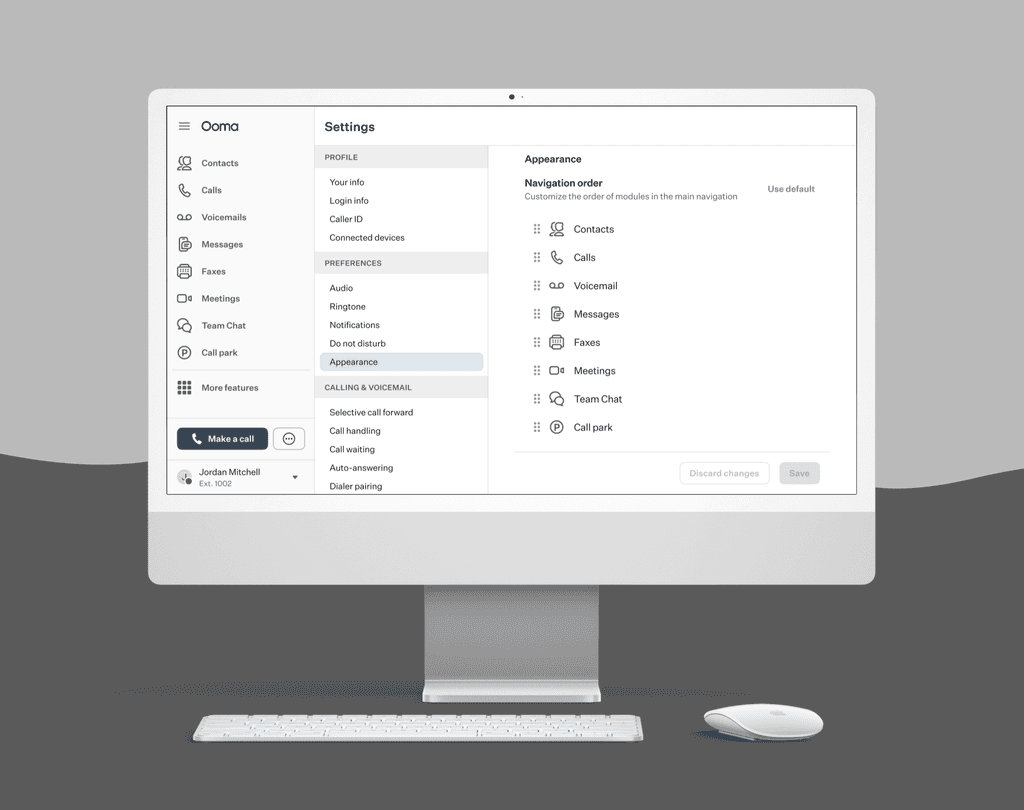
Customizing navigation in menu
Set your menu navigation the way you prefer and have easier access to your favorite features.